Modern UI
A cleaner interface for Dataverse work, designed for daily use.
 PowerTools
 Open-source desktop toolkit
A modern open-source desktop toolkit for everyday Dataverse work, with a friendly UI, secure local workflow, and tools that are easy to figure out and use.
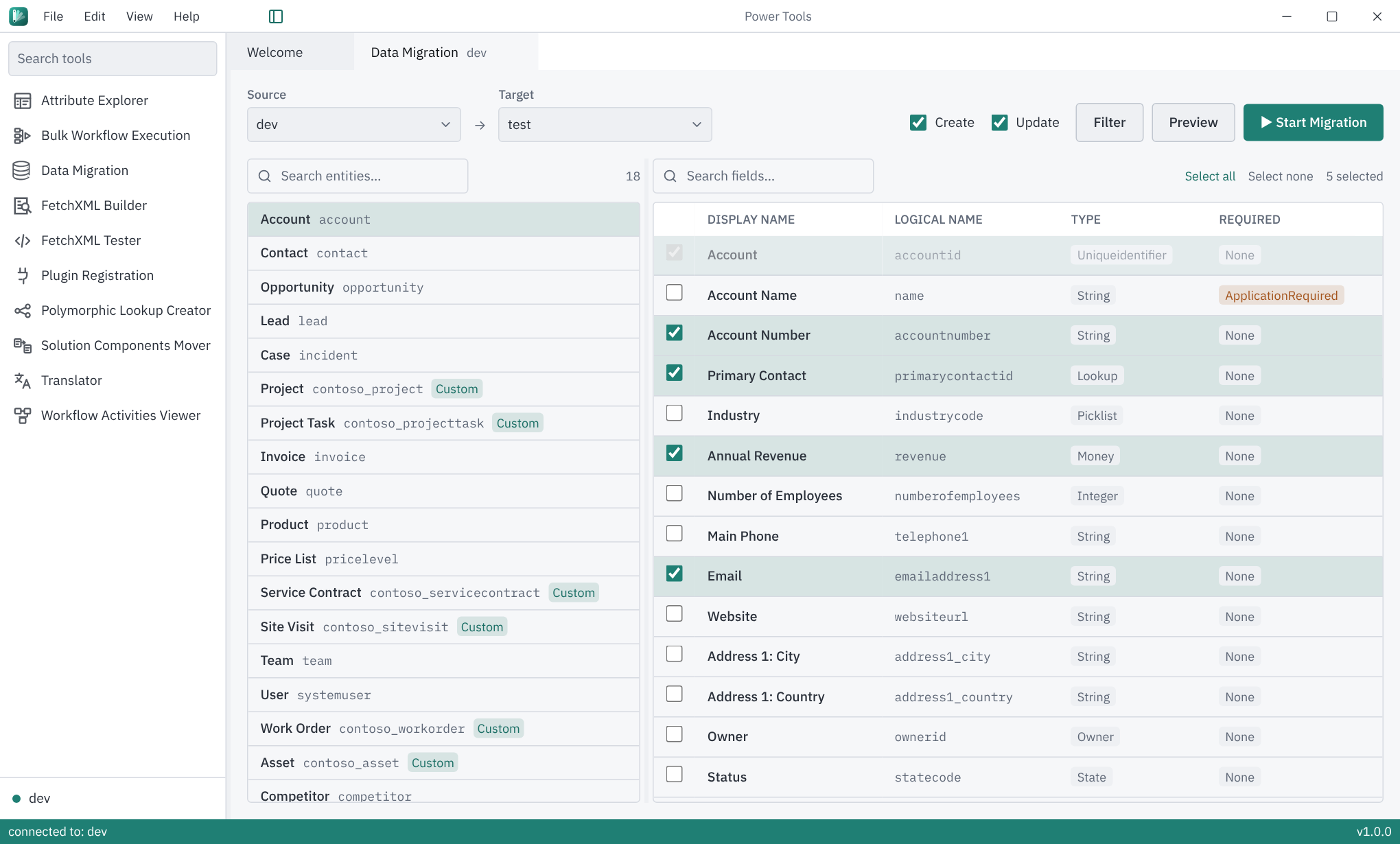
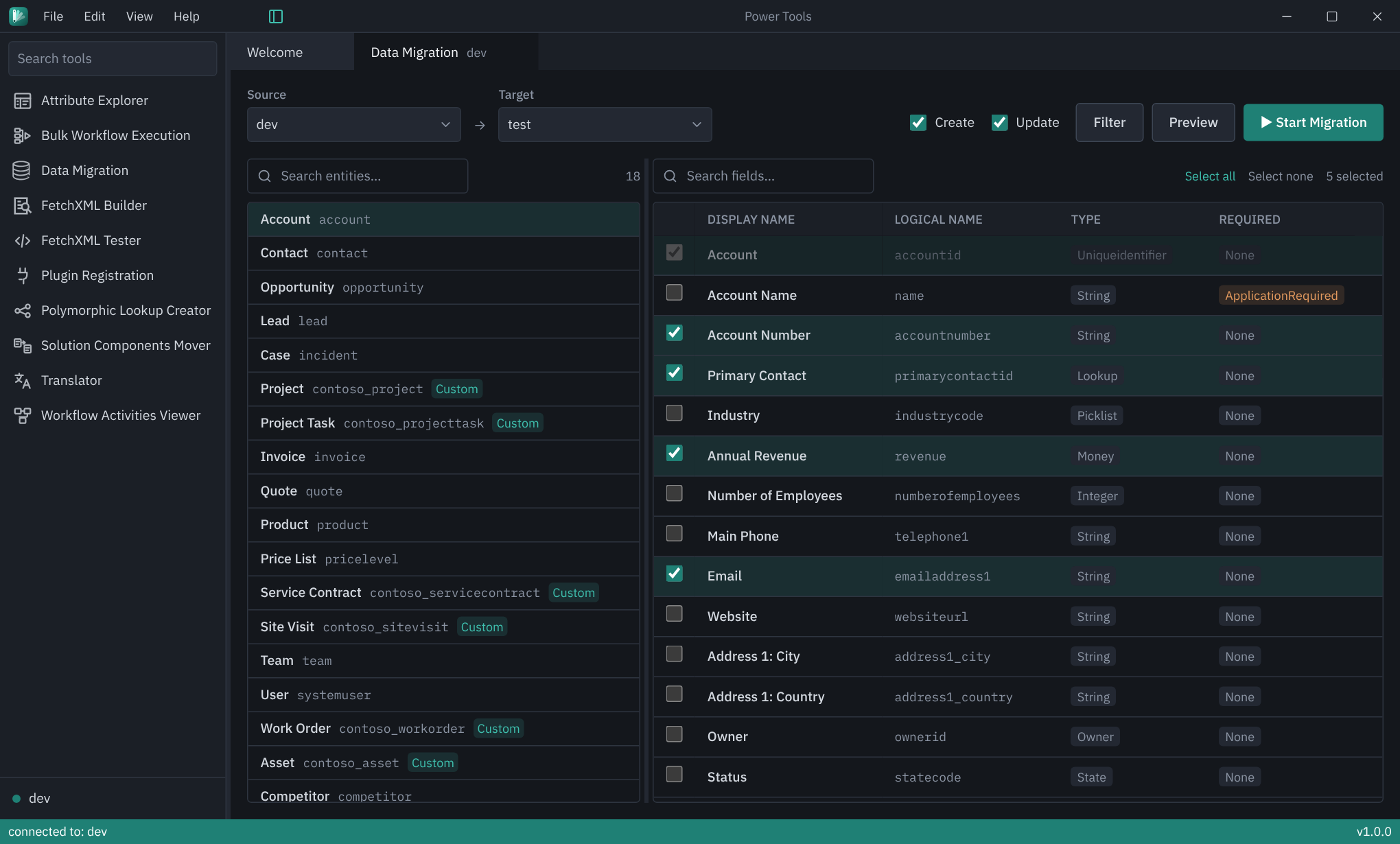
Why PowerTools
PowerTools focuses on developer flow: clear screens, discoverable actions, and less friction around the tasks you repeat every day.
A cleaner interface for Dataverse work, designed for daily use.
Tools are easier to figure out without digging through old dialogs.
The app runs on your machine and connects directly to Dataverse.
Inspect the code, suggest improvements, and contribute on GitHub.
Current tools
PowerTools is a desktop workspace for Dataverse developer tools. Each tool below is in the app today.
Browse every table in an environment and inspect its fields, types, and lookups.
Run an on-demand workflow against every record a view or FetchXML query returns, in batches you can pace and stop.
Move data between Dataverse environments with a guided, developer-friendly workflow that is easier to understand and control.
Build, test, and refine FetchXML queries in a cleaner workspace built for fast iteration.
Paste a FetchXML query, run it as written, and keep a local library of the queries you use.
Browse and manage plug-in assemblies, types, steps, and images.
Create, update, and delete polymorphic lookups in the selected environment.
Copy solution components from selected solutions into unmanaged solutions in the same environment.
Edit the display names and descriptions of tables, columns, choices, views, and charts side by side in every language installed in an environment.
See which activated processes reference a custom workflow activity.
Secure by design
PowerTools runs locally and connects directly from the desktop app to your Dataverse environments. The website introduces the tool; it does not host or process your Dataverse data.
Open source
PowerTools is open source, so developers can inspect how it works, report issues, suggest improvements, and contribute.